阿里云短信接入基本准备
阿里云网址 : https://www.aliyun.com/
- 登录 / 注册 阿里云
- 点击 AccessKey 管理
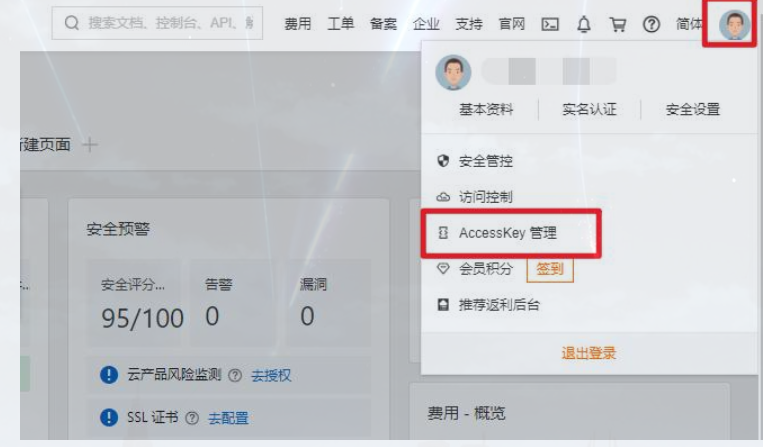
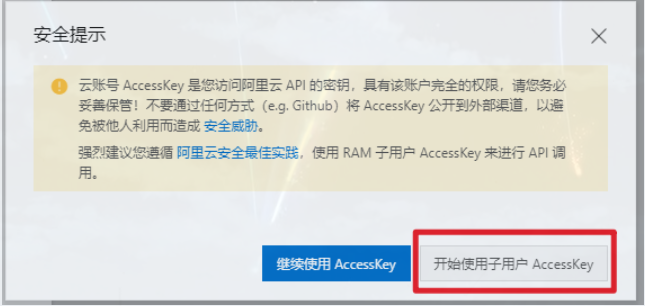
- 创建用户组

- 创建一个用户
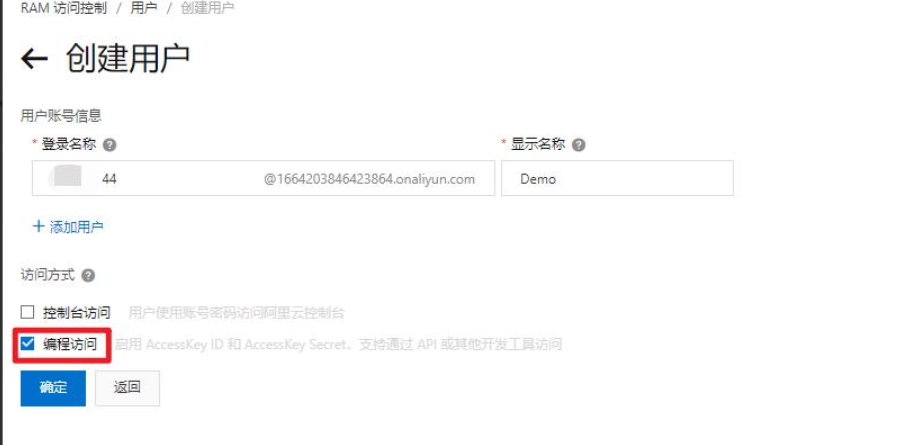

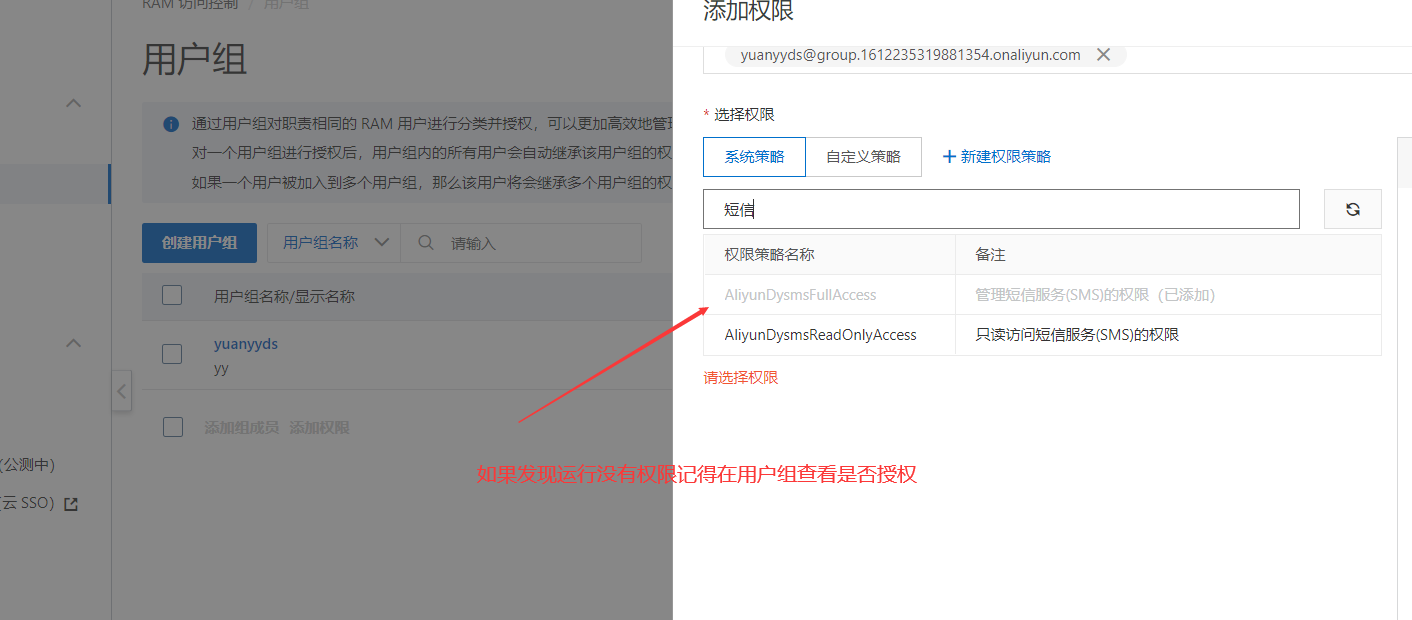
- 为新建的用户添加权限
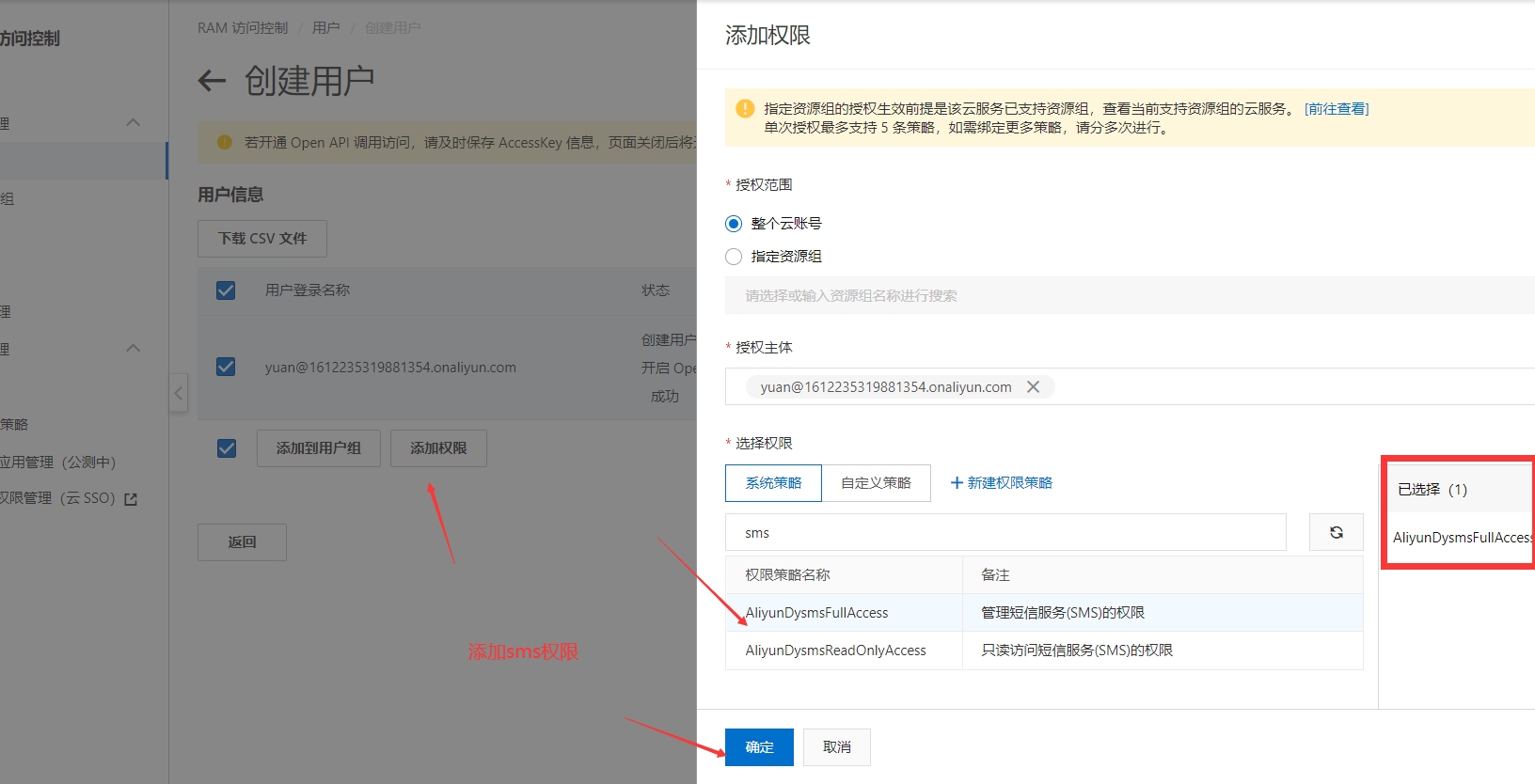
- 添加到用户组中
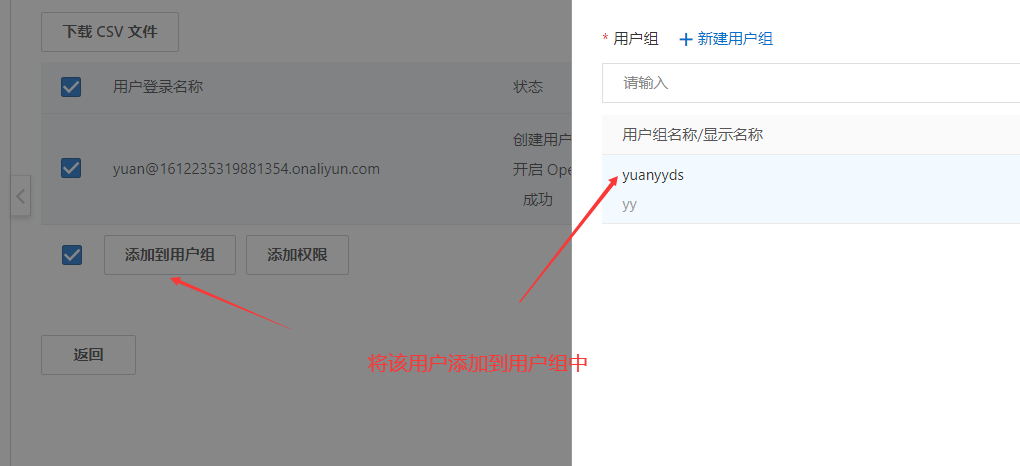
- 创建用户Key,注意记得将账户密码保存下来!!!!

- 开通短信服务
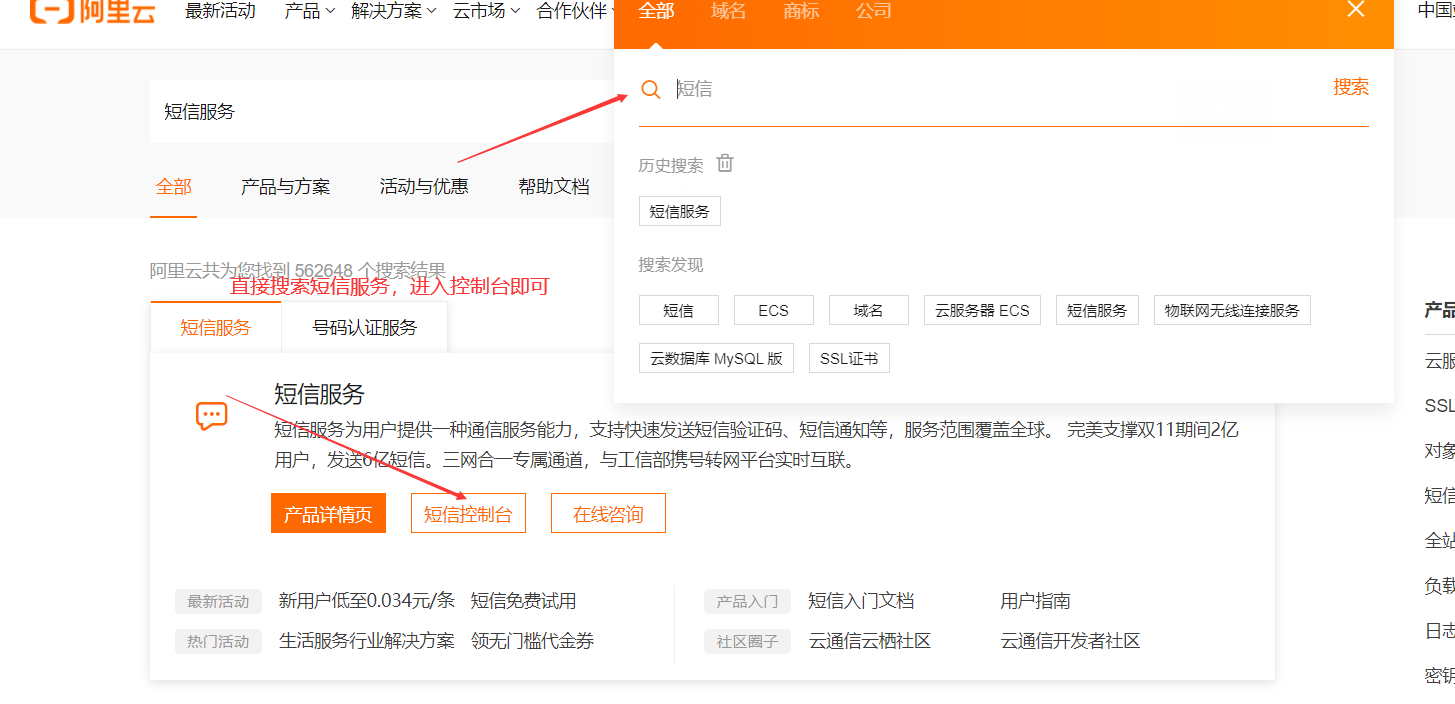
- 添加模板
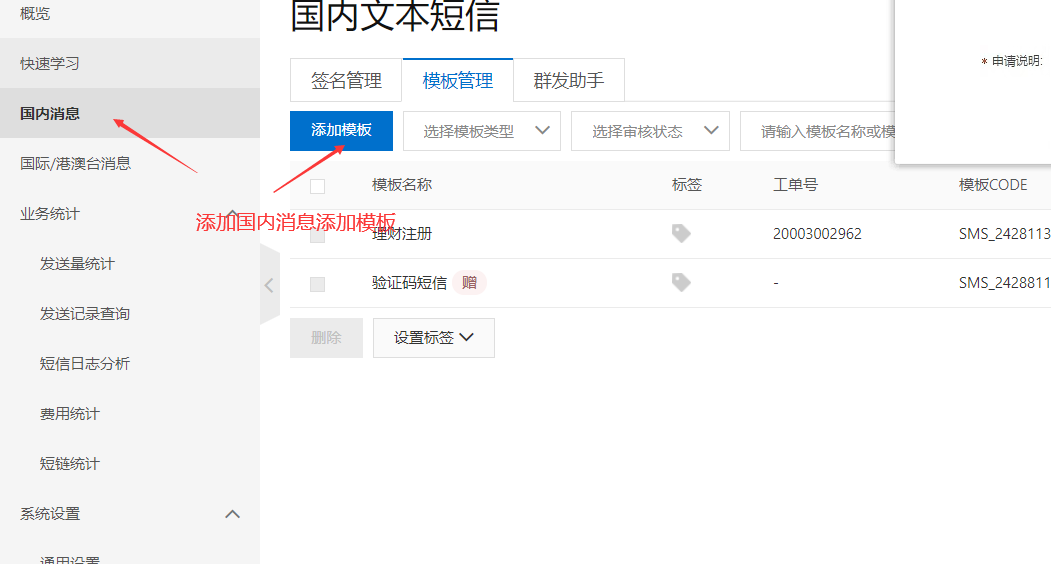
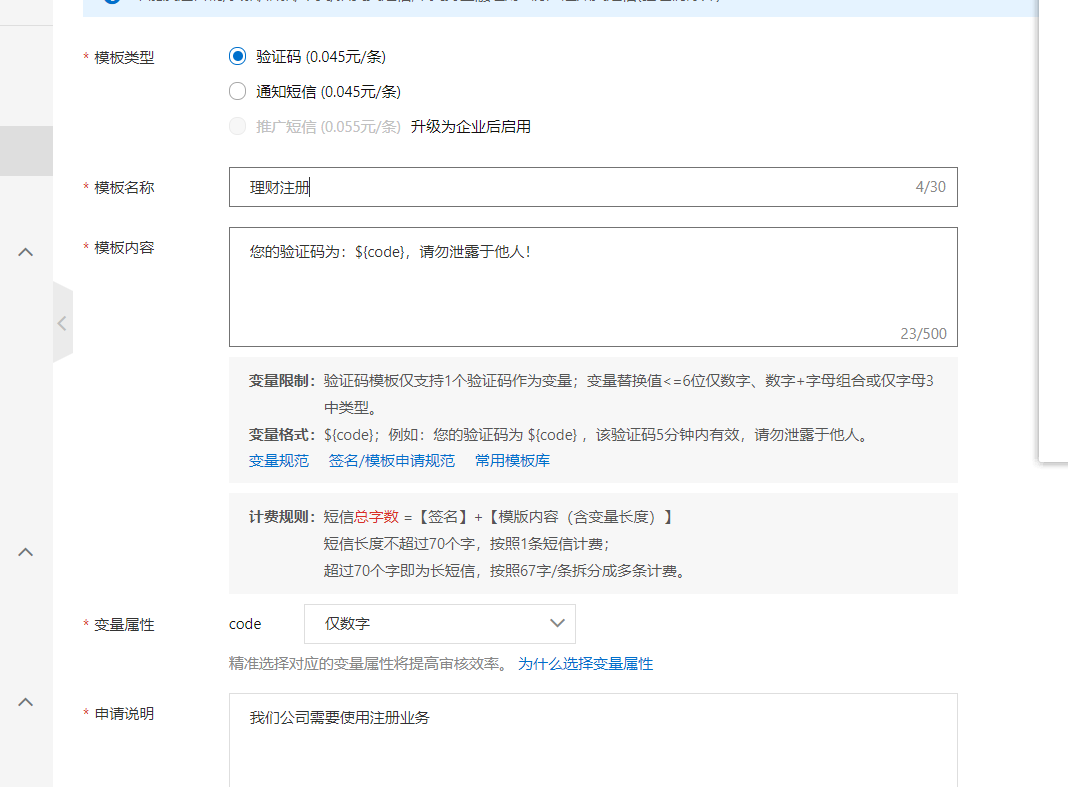
注意:添加的模板不能乱写否则不通过,一般会在两小时申请成功
添加签名
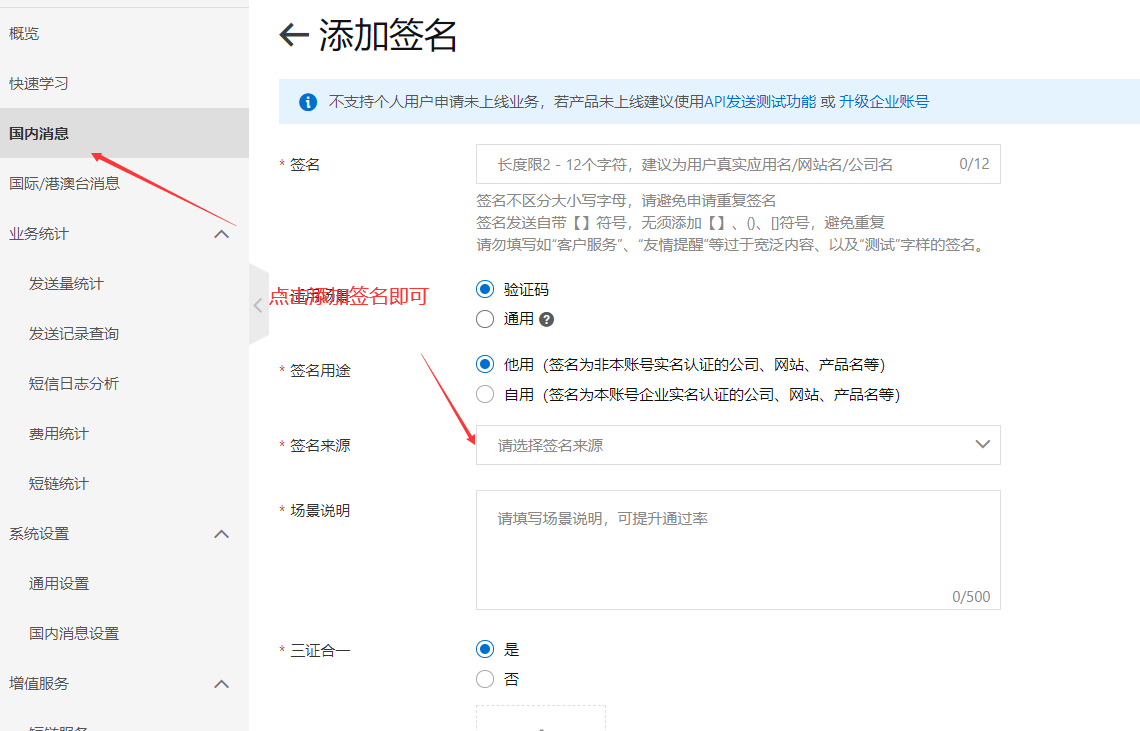
如果是用于测试使用
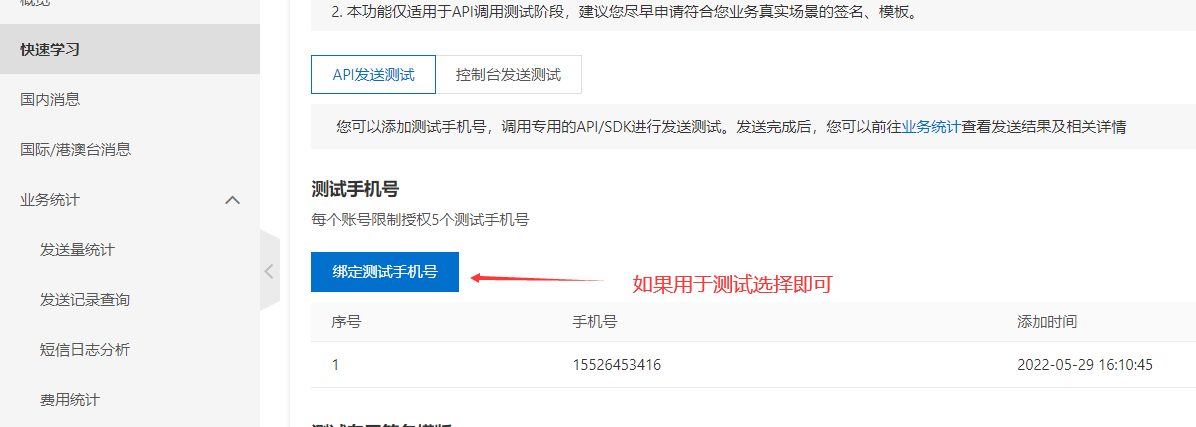
帮助文档:https://help.aliyun.com/document_detail/55288.html
测试用户用
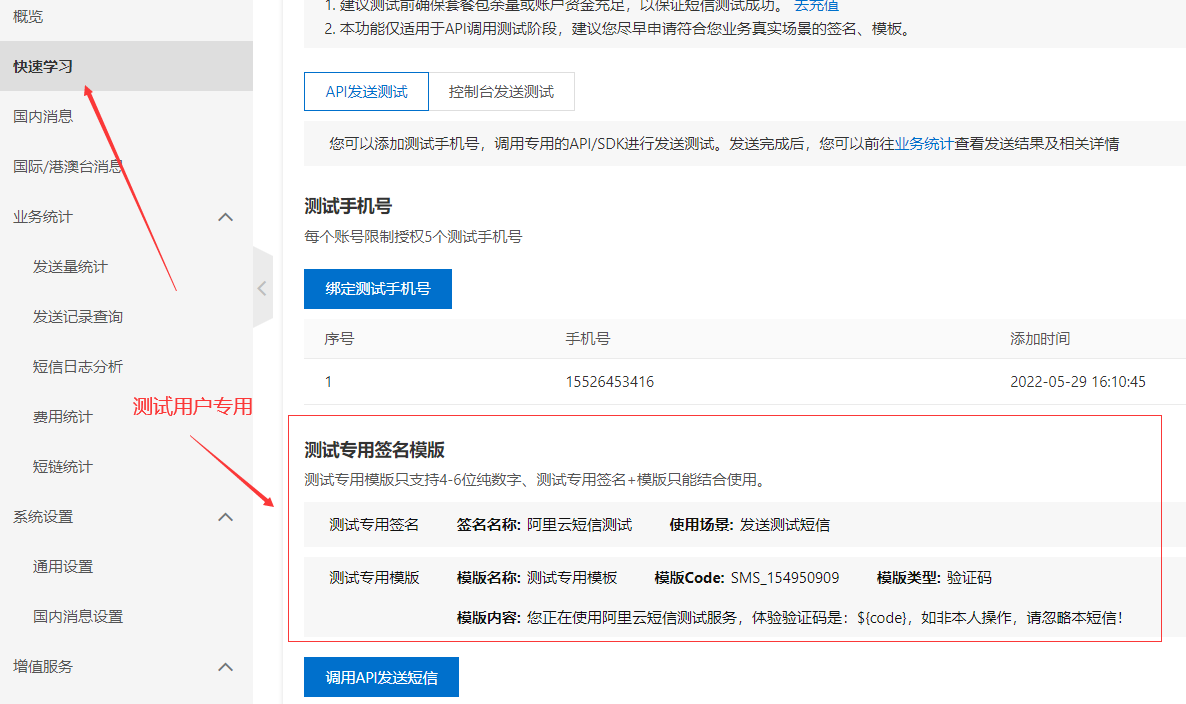
导入基本依赖
     <!--短信测试用-->
     <dependency>
            <groupId>com.aliyun</groupId>
            <artifactId>dysmsapi20170525</artifactId>
            <version>2.0.9</version>
        </dependency>
        <!--aliyun-->
        <dependency>
            <groupId>com.aliyun</groupId>
            <artifactId>aliyun-java-sdk-core</artifactId>
            <version>4.5.3</version>
        </dependency>
        <!--fastjson-->
        <dependency>
            <groupId>com.alibaba</groupId>
            <artifactId>fastjson</artifactId>
            <version>1.2.73</version>
        </dependency>
        <!--redis-->
        <dependency>
            <groupId>org.springframework.boot</groupId>
            <artifactId>spring-boot-starter-data-redis</artifactId>
        </dependency>
短信接入测试
@SpringBootTest
class AliyunApplicationTests {

    @Test
    void contextLoads() throws ClientException {
        // cn-hangzhou不要改,这里的 AccessKey ID 、 AccessKey Secret就是 阿里云用户对于的值,复制过来即可
        DefaultProfile profile = DefaultProfile.getProfile("cn-hangzhou", "AccessKey ID", "AccessKey Secret");
        IAcsClient client = new DefaultAcsClient(profile);

        // 构建请求
        CommonRequest request = new CommonRequest();
        request.setSysMethod(MethodType.POST);//不要懂
        request.setSysDomain("dysmsapi.aliyuncs.com");//不要动
        request.setSysVersion("2017-05-25");//官方版本不要动
        request.setSysAction("SendSms");
        // 上面不需要改
        // 自定义参数 :
        // 手机号,这里 Value 就填用户的手机号,实际应用须要从表单获取
        request.putQueryParameter("PhoneNumbers", "15526453416");
        // 签名,这里的 Value 就是在阿里云上申请的 签名
        request.putQueryParameter("SignName", "阿里云短信测试");
        // 模板,这里的 Value 就是在阿里云上申请的模板的 模版CODE 值
        request.putQueryParameter("TemplateCode", "SMS_154950909");
        // 验证码,真实应用需要自动构建验证码
        request.putQueryParameter("TemplateParam","{\"code\":\""+2223+"\"}");
       //或者
//        HashMap<String, Object> map = new HashMap<>();
//        map.put("code", 1234);
//        request.putQueryParameter("TemplateParam", JSONObject.toJSONString(map));
        try {
            CommonResponse response = client.getCommonResponse(request);
            System.out.println(response.getData());
        } catch (ClientException e) {
            e.printStackTrace();
        }
    }
}

模拟业务完成输入手机号发送短信
application.yaml
server:
  port: 8088